

Network
reference Facts, options, APIs
On this page
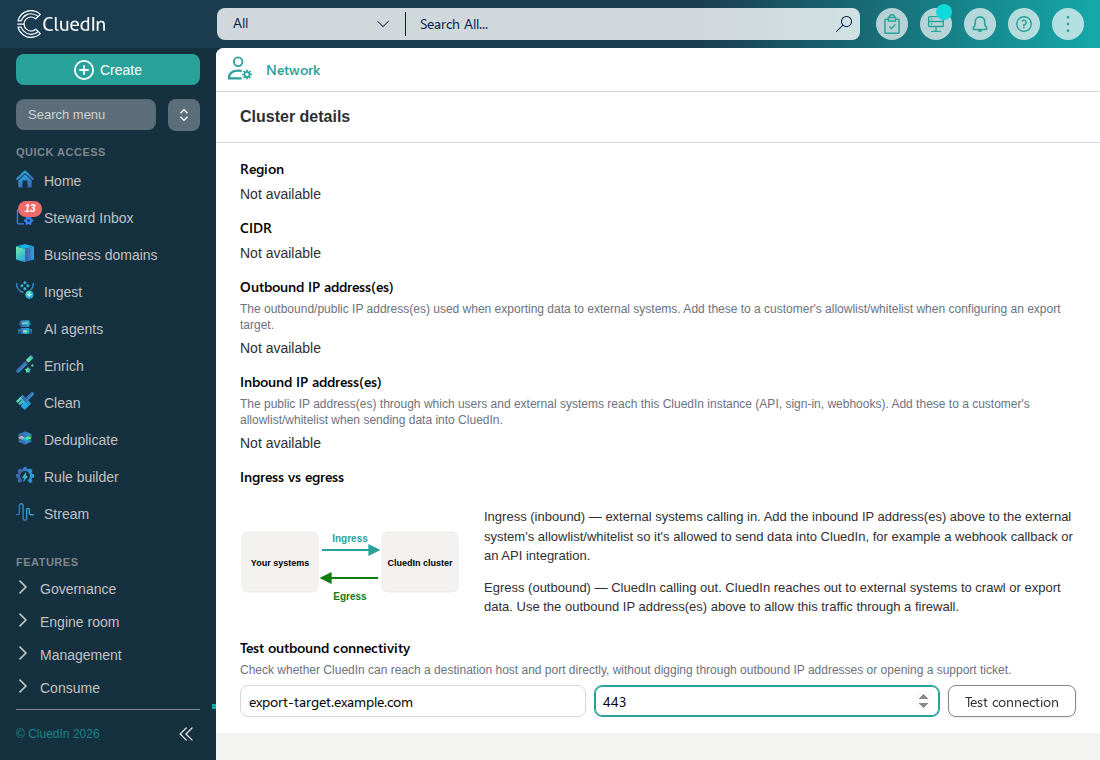
Network (available from the administration menu) shows read-only information about your CluedIn cluster’s network, and lets you test whether the cluster can reach a specific destination.
Cluster details
The Cluster details section shows your CluedIn cluster’s region, CIDR, and inbound and outbound IP address(es). Outbound IP addresses are useful when a customer’s export target needs to allowlist CluedIn’s traffic — see, for example, the Snowflake connector documentation. Inbound IP addresses are useful when an external system needs to allowlist traffic it receives from CluedIn, such as a webhook callback.
Test outbound connectivity
The Test outbound connectivity control lets you check, directly from CluedIn, whether the cluster can reach a specific destination host and port — without having to cross-reference the outbound IP addresses above against a customer’s firewall rules yourself, or open a support ticket to confirm.
Enter a destination host or IP address and a port, then select Test connection. CluedIn attempts a TCP connection to the destination from the server and reports the result as a notification:
- Success shows the resolved IP address and the connection latency in milliseconds.
- Failure shows the reason, such as a timeout or a refused connection.
The destination must resolve to a publicly routable address. A destination that resolves to a loopback, private-network, link-local, or cloud metadata address (for example 169.254.169.254) is rejected before CluedIn attempts a connection, so the test cannot be used to probe the cluster’s own internal network. The test is also rate-limited per organization to prevent it being used to scan ports on other systems; if you hit the limit, wait a minute and try again.